
How to Fill Out a Beef Cut Sheet in 10 Easy Steps
To fill out a beef cut sheet in 10 easy steps, start by identifying the type of cut sheet you need. Gather essential beef details such as weight, grade, and source to ensure accuracy. Specifying the main cuts and desired thickness is crucial for meeting your requirements.
Next, set your trimming preferences clearly to avoid any confusion. Record the quantities and packaging needs to align with your order specifications. Don’t forget to include delivery information and contact details for seamless communication.
Finally, double-check everything for accuracy before submitting the sheet. Follow these steps, and you’ll streamline the process, making sure your beef is cut and packaged just right. Keep going to get all the details.
Identify the Type of Beef Cut Sheet Needed
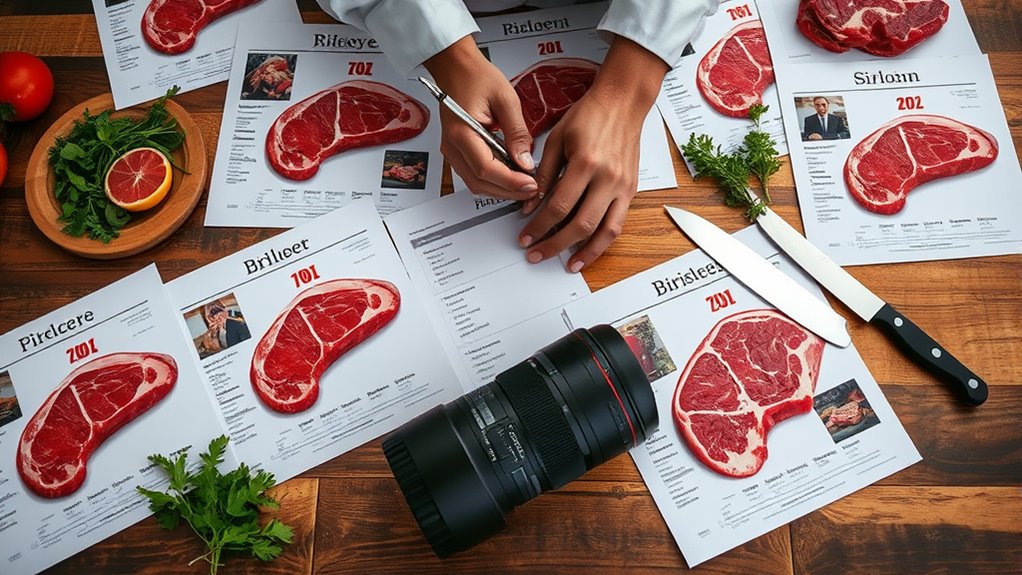
Before you begin filling out a beef cut sheet, you need to identify the exact type of cut sheet required. Different beef cuts demand specific cut sheets, so knowing which one fits your needs is essential.
Are you working with primal cuts, subprimal cuts, or retail cuts? Each has its own format and details. For example, a primal cut sheet focuses on large sections like the chuck or rib, while a retail cut sheet breaks down smaller, consumer-ready portions.
You’ll also want to consider the intended use, whether for butchering, packaging, or sales. Identifying the right cut sheet upfront saves time and prevents errors, ensuring the information you provide matches the beef’s processing stage.
Taking this step seriously sets the foundation for accurate and efficient documentation.
Gather Essential Information About the Beef

Once you know which cut sheet to use, gather all essential details about the beef to guarantee accuracy. Start by confirming the animal’s weight, grade, and age, as these factors influence the cutting process.
Note the breed and source, too, since they affect meat quality and flavor. You’ll also want to record any special handling or aging instructions, which impact tenderness.
Make sure you have the carcass number or identification for traceability. Finally, check if there are any specific client requests or restrictions related to the beef, such as organic certification or hormone-free status.
Collecting this information upfront ensures your cut sheet reflects the exact beef characteristics, helping you communicate clearly with your butcher or processing team.
Specify the Primary Cuts Required

How do you determine which primary cuts to include on your beef cut sheet? Start by considering the type of dishes you’ll prepare and the preferences of your customers or kitchen.
Focus on major sections like chuck, rib, loin, round, brisket, and flank. Each primary cut has distinct qualities and cooking uses, so specifying them clearly helps make certain you get the right portions.
Don’t forget to note any particular cuts you need from these sections, such as ribeye from the rib or sirloin from the loin.
Detail the Desired Sub-Cuts and Thickness
Since the primary cuts are set, you’ll want to specify the exact sub-cuts and their thickness on your beef cut sheet. Clearly indicate which sub-cuts you need, such as ribeye steaks, sirloin tips, or brisket flat.
Be precise about how thick each cut should be, whether you prefer 1-inch, 1.5-inch, or custom sizes. This detail guarantees your butcher can prepare the meat exactly how you want it.
Use standard measurements to avoid confusion, and if you have specific slicing preferences, like cubes for stew or thin strips for stir-fry, note those too.
Indicate Trimming Preferences
Although specifying cuts is essential, you also need to clearly indicate your trimming preferences on the beef cut sheet. This helps the butcher prepare the meat exactly how you want it.
Decide whether you want your cuts trimmed to lean, moderate, or heavy.
Choose your preferred trim level: lean, moderate, or heavy to match your taste and cooking style.
For example, if you prefer minimal fat, specify “lean trim,” which removes most external fat. If you want some fat left for flavor, choose “moderate trim.”
You can also note if you want the silver skin or membrane removed.
Be precise about fat thickness if you have a preference, such as leaving a quarter-inch fat cap.
Clear trimming instructions prevent confusion, ensure consistency, and help you get the best quality product suited to your cooking needs.
Always double-check your trimming choices before submitting the sheet.
Note Any Special Instructions or Customizations
When you fill out a beef cut sheet, make sure to include any special instructions or customizations that aren’t covered by standard options. This guarantees your butcher understands exactly how you want your cuts prepared, avoiding mistakes and saving time.
Whether you want specific marbling levels, unique packaging, or custom portion sizes, clearly note these details.
Here’s a quick guide to organizing special requests:
| Instruction Type | Example | Why It Matters |
|---|---|---|
| Marbling Preferences | Moderate marbling only | Affects flavor and tenderness |
| Packaging Request | Vacuum-sealed packs | Extends freshness |
| Custom Portions | 8 oz steaks instead of 6 oz | Meets serving size needs |
Clear notes help get exactly what you want.
Record Quantity and Weight Requirements
How many cuts do you need, and what weights should they have? Start by specifying the exact number of each cut you want. Be precise. If you need ten ribeye steaks, write that down clearly.
Then, indicate the weight range for each cut. For example, you might want ribeyes between 8 and 10 ounces each. This helps guarantee consistency and meets your portion requirements.
Don’t forget to note if you prefer uniform weights or a weight range. Recording these details accurately prevents confusion and guarantees your order matches your needs.
Double-check your quantities and weights before moving on, as this information is vital for your butcher to prepare your cuts correctly and efficiently.
Confirm Packaging and Labeling Preferences
After specifying the quantities and weights, turn your attention to how you want your cuts packaged and labeled. This step guarantees your order arrives ready to use and easy to identify.
Consider these key points when confirming your preferences:
- Packaging type: vacuum-sealed, butcher paper, or plastic wrap
- Portion size per package: single servings or bulk packs
- Label details: cut name, weight, and packing date
- Special instructions: allergen warnings or cooking tips
Being clear about these options helps avoid confusion and keeps your beef fresh longer. Don’t hesitate to ask your supplier for packaging samples or labeling templates if you’re unsure.
Confirming these preferences upfront saves time and ensures your cuts meet your exact needs.
Provide Contact Information and Delivery Details
Where should your order be delivered, and who should the supplier contact if there’s a question? Clearly provide the exact delivery address, including any suite or unit numbers, to avoid confusion. Include your preferred delivery times or any special instructions, like gate codes or loading dock information.
Next, list a primary contact person’s name, phone number, and email. This guarantees the supplier can quickly reach someone if they need to clarify your order or resolve issues. Double-check all contact details for accuracy to prevent delays.
Review and Double-Check the Completed Cut Sheet
Once you’ve provided complete contact and delivery details, take the time to carefully review your entire beef cut sheet. This final check helps make certain your order is accurate and meets your needs. Don’t rush; a quick review can prevent costly mistakes.
Before finalizing your order, thoroughly review your beef cut sheet to ensure accuracy and avoid errors.
Focus on key areas:
- Confirm all cut specifications match your preferences
- Verify quantities and weights are correct
- Double-check any special instructions or packaging requests
- Ensure your contact and delivery information is accurate
Frequently Asked Questions
What Is the Best Way to Store Beef After Cutting?
You should store beef in airtight containers or vacuum-sealed bags to keep it fresh. Refrigerate if you plan to use it soon, or freeze it for longer storage.
Don’t forget to label and date each package!
How Long Does Freshly Cut Beef Stay Safe to Eat?
Freshly cut beef stays safe to eat for about 3 to 5 days in the fridge. You’ve got a small window since bacteria can double every 20 minutes at room temperature, so refrigerate it promptly!
Can I Request Organic or Grass-Fed Beef Cuts?
Yes, you can request organic or grass-fed beef cuts. Just specify your preference when placing your order or filling out the cut sheet.
Suppliers will usually accommodate these options if available.
What Tools Are Recommended for Cutting Beef at Home?
You absolutely need a knife sharper than a samurai’s katana: a boning knife, a chef’s knife, and a carving knife. Throw in a sturdy cutting board and kitchen shears, and you’ll conquer beef like a pro every time.
How Do I Calculate the Price Based on Cut Sheet Details?
You calculate the price by multiplying each cut’s weight by its price per pound, then add all totals together.
Don’t forget to include trimming or processing fees listed on the cut sheet for an accurate final cost.
Conclusion
Now that you know how to fill out a beef cut sheet in 10 easy steps, you’ll see how much smoother the ordering process can be. It’s true—being clear and detailed actually saves time and reduces mistakes.
By specifying cuts, weights, and packaging upfront, you avoid confusion and get exactly what you need. So, take a moment to double-check your sheet; it’s the key to getting quality beef delivered just right every time.
Using a well-filled beef cut sheet ensures accuracy and efficiency in your meat orders. This simple step helps maintain consistency and satisfaction with every delivery.